
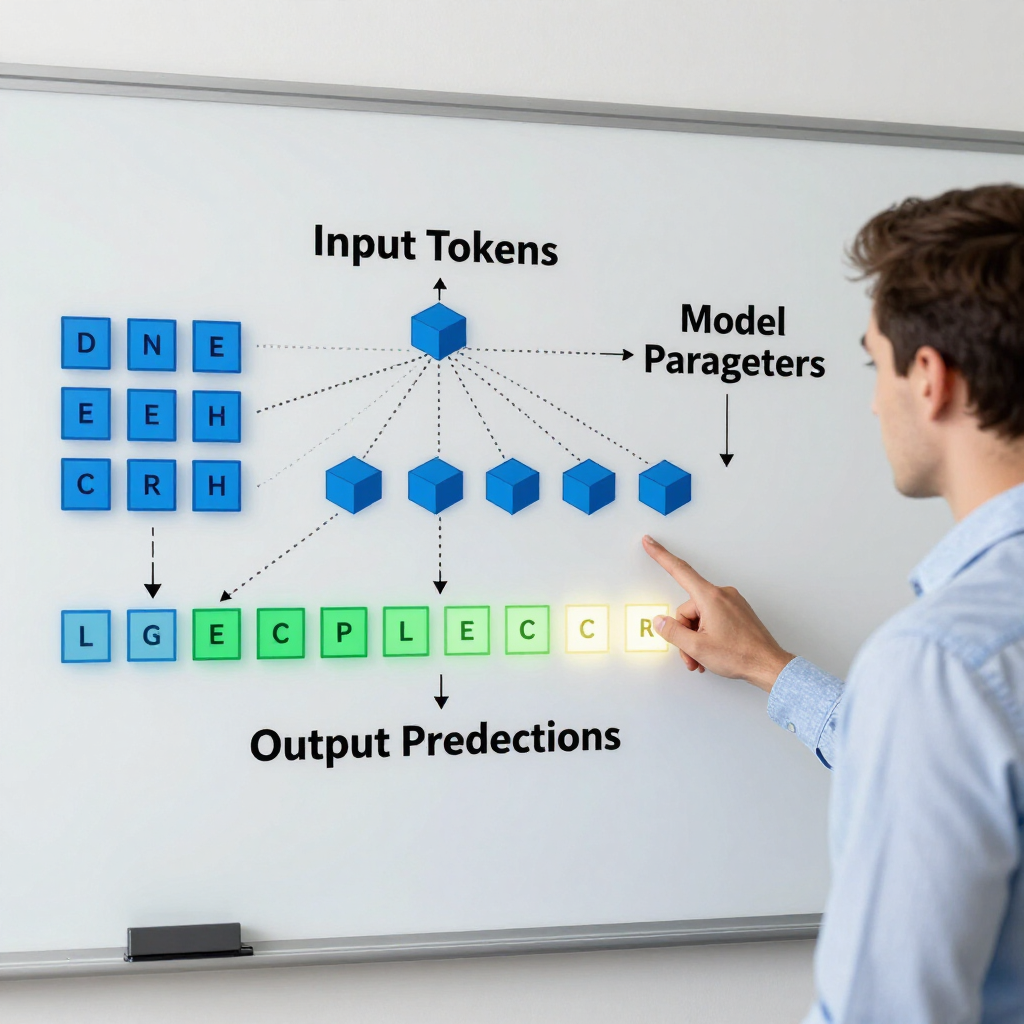
The United Arab Emirates is rapidly becoming a global hub for Artificial Intelligence. For enterprise tech vendors, the demand for Small Language Models (SLMs) is skyrocketing. Local banks and insurers—known under UAE regulations as Licensed Financial Institutions (LFIs)—are eager to deploy SLMs for customer service, fraud detection, and internal search because they are fast, cost-effective, and easy to host on-premise. However, the regulatory landscape is strict. The Central Bank of the UAE (CBUAE) maintains rigorous standards for financial technology. If your SLM is not compliant with the CBUAE Consumer Protection and AI/ML Guidelines, your enterprise clients cannot deploy it. To help tech vendors successfully navigate this process, here is a practical roadmap to ensure your SLM meets UAE compliance requirements right out of the box. 1. Hardcode Transparency: The "AI Disclosure" Rule The CBUAE places a massive emphasis on consumer awareness. Under the guidelines, financial consumers have the absolute right to know when they are interacting with an AI system. The Vendor Action: If your SLM powers a customer-facing interface, such as a chatbot or automated voice assistant, you must embed clear visual or textual disclosures. The user interface must explicitly state that the system is an AI. The Tech Fix: Build mandatory greeting messages into your API or frontend widgets (e.g., "Hello! I am an AI assistant powered by [Bank Name]..." ). Ensure these elements cannot be accidentally disabled by the client's IT team. 2. Solve the Black Box: Build Explainability Protocols Regulators will not accept an SLM that spits out answers without a clear rationale. If your model helps draft a loan rejection or flags a suspicious transaction, the bank must be able to audit why that output occurred. The Vendor Action: Provide clear technical and plain-language documentation outlining the model’s architecture, training parameters, and data sources. The Tech Fix: If you are using Retrieval-Augmented Generation (RAG) to ground your SLM, build direct source-citation features. Ensure your software logs the exact enterprise documents used to generate a specific response. This creates an unalterable audit trail for compliance officers. 3. Put Humans in Control: Human-in-the-Loop & Kill Switches The CBUAE guidelines state that AI must never completely replace human judgment in high-stakes decisions. Ultimate accountability always rests with the bank's board and management. Furthermore, the bank must have the power to stop the AI instantly if it malfunctions. The Vendor Action: Design your enterprise software with clear escalation pathways and administrative overrides. The Tech Fix: Build a Human-in-the-Loop (HITL) dashboard where complex or low-confidence SLM outputs are routed to a bank employee for review before reaching the customer. Implement an instant technical Kill-Switch . Give the bank’s risk team a single-click mechanism to halt the SLM's operations and automatically reroute all active users to human agents if model drift or severe hallucinations are detected. 4. Eradicate Local Bias: Representative Data and Testing An SLM trained entirely on Western data will fail in the UAE. The CBUAE requires proactive testing to prevent discrimination based on demographics, nationality, or language nuance. The Vendor Action: Validate that any fine-tuning or RAG datasets are highly accurate, culturally relevant, and demographically representative of the diverse UAE market. The Tech Fix: Implement automated bias-testing suites during your CI/CD pipeline. Test how the model handles Arabic dialects and English text written by non-native speakers to ensure fair treatment across all customer segments. 5. Lock Down Data Sovereignty and Vendor Liability Under the UAE Personal Data Protection Law (PDPL) and CBUAE outsourcing rules, sensitive financial data must be fiercely guarded. Crucially, your client cannot pass their regulatory liability onto you—the responsibility remains theirs, which means they will audit you thoroughly. The Vendor Action: Architect your deployment to respect local data residency. Ensure your contracts do not attempt to completely absolve the bank of its regulatory duties, as local regulators will reject such clauses. The Tech Fix: Offer on-premise deployment options or localized cloud hosting (e.g., Azure UAE North or AWS UAE region). Ensure that zero customer data or prompt history is sent back to external servers or used to train your base models without explicit, legally compliant consent. The Bottom Line Compliance is no longer a hurdle to clear after building your software; it is a core feature of the product itself. By embedding transparent disclosures, RAG audit trails, human-in-the-loop dashboards, and local data hosting into your SLM offering, you turn compliance into your strongest competitive advantage in the lucrative UAE enterprise market.

Hermes Agent is a self-improving, open-source AI agent developed by Nous Research that is designed to function as a 24/7 digital employee or "AI operating system" rather than a simple chatbot. While standard AI tools often operate in a stateless way, meaning they "forget" between sessions. Hermes features a closed learning loop that allows it to create and improve its own skills from experience, persist knowledge across sessions, and build a deepening model of its user over time. Core Philosophy: The "AI Operating System" Unlike basic chat interfaces, Hermes is described as an agent layer or infrastructure. It separates the "agent system" (the framework for memory, tools, and scheduling) from the "model provider" (the LLM "brain" used to think). This architecture allows it to behave more like a Chief of Staff that can handle administrative tasks, research, and file management across multiple devices. The Five Pillars of Hermes Agent The system is built upon five foundational pillars that define its capabilities: Memory: Durable context stored in local markdown files ( user.md and memory.md ). It tracks who you are, your preferences, and your active projects, loading this context at the start of every session so you don't have to repeat yourself. Skills: Reusable "playbooks" or recipes for tasks. If you perform a task more than twice, Hermes can generate a skill for itself, turning complex manual prompting into a deterministic, one-word workflow. Soul: Defined via a soul.md file, this shapes the agent’s persistent operating style , tone, and rules. It ensures the assistant maintains a consistent personality across all interactions. Cron Jobs: These turn Hermes from a reactive tool into a proactive assistant . You can schedule recurring tasks, such as a "daily AI news briefing" or nightly business summaries, which the agent performs autonomously while you sleep. Self-Improving Loop: Every time the agent completes a task, it reviews what went well and updates its own skills and memories to perform better the next time. Key Features and Capabilities Model Agnostic: It is not locked to one provider. You can switch between Claude, OpenAI, Gemini , or even local models (like Qwen or Llama) for total privacy and zero token costs. Subagent Delegation: For complex projects, Hermes can spawn focused subagents with isolated contexts to work on different parts of a task simultaneously before returning a final combined summary. Session Search: It uses a SQLite database to store every conversation, allowing you to ask, "What did we decide about the budget last Thursday?" and receive a summarized trail of past decisions. Multi-Platform Gateway: You can control the agent through a terminal, a dedicated desktop app , or messaging services like Telegram, WhatsApp, Slack, and Discord . Deployment and Infrastructure Hermes is highly flexible in its deployment. It can run on: Local Hardware: Such as a standard laptop, a Mac Studio, or an Nvidia DGX Spark for maximum privacy. Cloud Infrastructure: It can be installed on a cheap $5 VPS or inside Docker containers . Mobile Devices: It can even run on Android phones via Termux , giving you an "always-on" assistant that can access your phone's sensors and SMS notifications. In summary, Hermes Agent is a comprehensive platform for building personalized AI automation workflows that grow more effective the more they are utilized. This comprehensive guide outlines the features, benefits, and real-world use cases of Hermes Agent to help you communicate its value to potential clients. Hermes is not just a chatbot; it is a self-improving AI operating system designed to act as a 24/7 digital employee. Core Features of Hermes Agent Persistent Memory & User Modeling: Unlike standard AI, Hermes builds a deepening model of the user over time, remembering preferences, project context, and past decisions across all conversations. Self-Improving Skill Loop: Every time the agent performs a task, it reviews its performance and updates its own "skills" (reusable playbooks), meaning it literally gets better at its job the more it is used. Proactive Cron Jobs: Clients can schedule Hermes to run recurring tasks autonomously, such as daily market reports or email triaging, without needing to be prompted manually. Multi-Platform Gateway: Users can control their agent from anywhere using Telegram, WhatsApp, Slack, Discord, or Signal , making it a mobile "remote control" for their business. Parallel Subagent Delegation: For complex tasks, Hermes can spawn multiple focused subagents to work on different parts of a project simultaneously, returning a single combined summary. Rich Desktop Interface: The new desktop app provides a polished, visual environment for managing sessions in folders, pinning important threads, and organizing Artifacts (files, links, and images). Model Agnostic Architecture: It is not locked to one provider; clients can switch between Claude, GPT-5.5, Gemini , or even local models (like Qwen or Llama) for total privacy and zero token costs. Key Benefits for Clients Massive Cost Savings: By having the agent write deterministic code for recurring tasks and using local models for research, users can achieve a 90% reduction in token costs compared to manual prompting. Increased Leverage: Hermes handles the "background work" (research, file management, data entry), allowing executives to focus on high-value decision-making and scale their output. Data Privacy and Security: For sensitive industries like healthcare or finance, Hermes can run entirely on local hardware (e.g., a Mac Studio or DGX Spark), ensuring no clinical or financial data ever hits the cloud. The "Ultimate Second Brain": With Session Search , a user will never "forget" a conversation; the agent can recall a specific decision or link shared months ago with a simple query. Autonomous Multi-Device Control: By integrating with tools like Tailscale , Hermes acts as a global administrator, allowing a user to retrieve a file from their office computer using only a WhatsApp message on their phone. Detailed Use Cases 1. Digital Chief of Staff for Executives Daily Briefings: Every morning at a set time, Hermes scans emails, news sources, and calendars to provide a formatted digest of the three most important developments from the last 24 hours. Meeting Preparation: A subagent can research a potential partner's LinkedIn, recent news, and company website to provide a one-page "cheat sheet" before a call. 2. Automated Business & Opportunity Scouting Market Monitoring: Use a cron job to scan platforms like Reddit and X every 20 minutes for specific industry pain points or "challenges" that the client’s business can solve. Competitor Technical Breakdowns: Hermes can use browser automation to navigate a competitor’s website, analyze their tech stack, pricing, and features, and generate a full technical report. 3. High-Efficiency Content Pipelines YouTube/Social Media Automation: The agent can extract transcripts from YouTube videos, learn the concepts, and then be tasked with generating scripts, thumbnails, and even monitoring comments for engagement. Automated Diary/Memory Wiki: Hermes can maintain a private "memory wiki" website that logs everything discussed and worked on, acting as a searchable journal for a creator's ideas. 4. Technical Operations & Vibe Coding Rapid Prototyping: Using the /goal command, clients can give Hermes a high-level objective (e.g., "Build a 3D shooter game" or "Create a micro-SAS"), and the agent will work autonomously for hours to build the initial codebase. Infrastructure Management: Hermes can perform nightly security audits of its own setup, checking for exposed API keys or poorly configured firewalls on the client's network. 5. Personalized Professional Development AI Daily Tutor: A client can provide links to masterclasses or research papers. Hermes will learn the material and proactively quiz the user every morning at 8:00 AM to reinforce the knowledge. Therapeutic Coaching: Clients can load specific niche skillsets, such as a "chatbot therapist" based on natural language processing programs, to help them self-actualize and prioritize their daily goals. Ok let us dive into the Chief of Staff use case. To set up Hermes Agent as a digital chief of staff for senior executives, you should treat it as a persistent agent layer that functions like an "AI operating system" rather than a simple chatbot. It acts as a 24/7 digital employee that builds a deepening model of the executive's goals, preferences, and operating style over time. Setting Up the Digital Chief of Staff Infrastructure and Interface: Install Hermes on a persistent server (VPS) or a local high-performance machine like a Mac Studio to ensure it is always on and ready to work while you sleep. Use the Hermes Desktop App for deep organizational work and managing sessions in folders. Connect the Telegram Gateway to use your phone as a remote control surface, allowing you to send voice notes or receive urgent updates while on the go. Defining Identity and Knowledge: Soul.md: Create a soul.md file to define the agent's persistent personality , tone, and rules, ensuring it always acts with executive-level professionalism without needing repeat prompts. User.md and Memory.md: Use these files to store the executive's biography, project context, and preferences, which Hermes automatically extracts and persists across sessions. GitHub Integration: Connect Hermes to a private GitHub repository to automatically back up all assistant memories, skills, and decision trails every night. Configuring the "Brain": Set up multiple profiles for different executive functions; for example, use Claude Opus for high-level strategy and planning, and local models (like Qwen) for private, low-cost research tasks. Executive Use Cases Proactive Morning Briefings: Use cron jobs to schedule an automated briefing every morning at 6:00 AM. Hermes can scan the executive's email, news sources, and stock market movers to provide a formatted digest of the three to four most important developments from the last 24 hours. Persistent Decision Memory (Session Search): Executives can use session search to instantly recall the "trail of decisions" made in previous weeks, such as "What did we decide about the Q3 budget last Thursday?". Executive Task Triage (Kanban Board): Use the built-in Kanban board to manage tasks autonomously. The executive can dump ideas into the "Triage" column , and Hermes will automatically split them into subtasks and assign them to subagents for completion. Computer and Device Administrator: By installing Tailscale , Hermes can act as a bridge between all of an executive's devices. If an executive is traveling and realizes a document is on their home computer, they can message the Telegram bot to "get that PDF from my office Mac and drop it here". Strategic Research and Opportunity Scouting: Schedule Hermes to perform a "Daily Opportunity Scan" every 20 minutes. The agent can monitor platforms like Reddit, X, or specialized industry journals to find challenges people are facing and suggest how the executive's firm can solve them. Daily Priority Alignment: Set a proactive prompt for 9:00 AM where Hermes asks, "What is your number one priority today?" . Based on the response, it will automatically update its memory and suggest specific tasks it can handle to support that goal. Multi-Agent Delegation: For complex tasks, such as preparing for a board meeting, the executive can use subagent delegation . One subagent researches financial data, another summarizes recent project milestones, and a third prepares a slide deck, with Hermes returning a single combined executive summary. Ultimately, the Hermes Agent represents a fundamental shift in how we interact with artificial intelligence, moving beyond stateless chatbots toward a true self-improving AI operating system . By bridging the gap between infrastructure and interface, it functions less like a software tool and more like a 24/7 digital employee that grows more effective and personalized with every interaction. Whether it’s managing your daily schedule via proactive cron jobs , delegating complex research to specialized subagents , or acting as a persistent Chief of Staff that follows you from your desktop to your mobile device, Hermes offers the kind of professional leverage that was once the exclusive domain of large teams. As we step into this new era of agentic workflows, the question is no longer just what AI can answer, but how much you are willing to let your own personalized digital assistant build, automate, and achieve for you while you sleep.